Import Positions in Bulk
Applies to: Administrators, Technical Support (Advanced Use)
This advanced feature allows you to create multiple open positions for a client account simultaneously, typically used for migration, reconciliation, or testing.
Steps to Import Positions
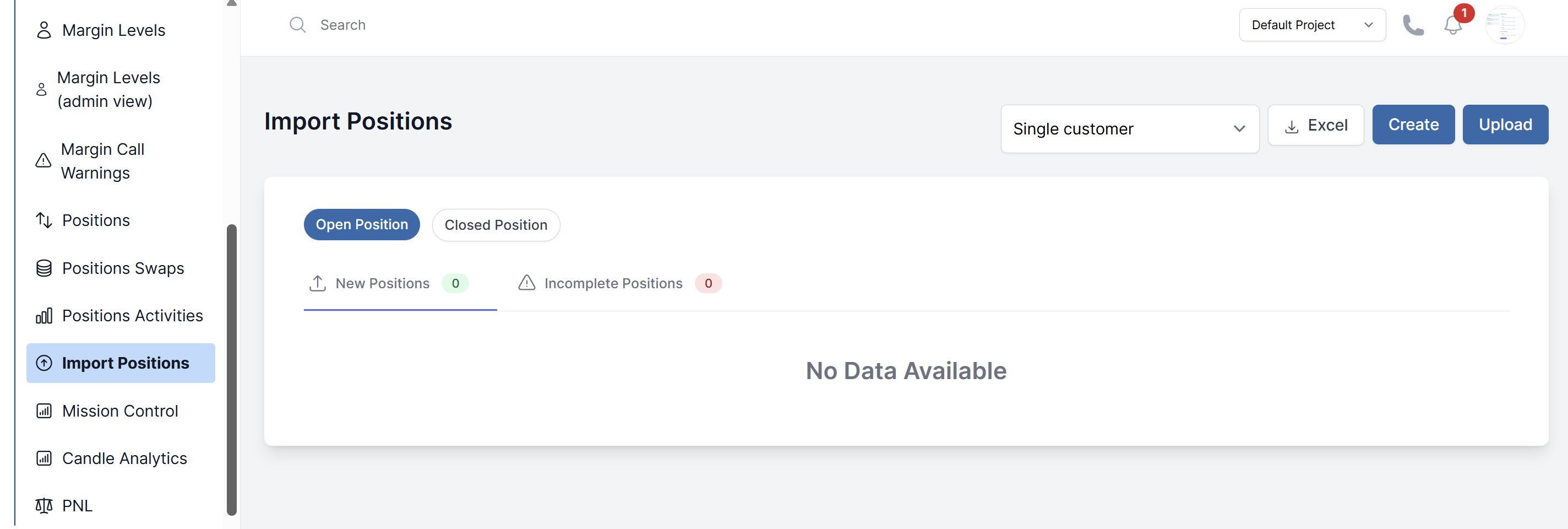
- Navigate to Customers > Import Positions.
- Dowanload the Sample Excel Sheet
- Fill out the Excel sheet with the position data you need to import.
- Back on the Import page, click Upload and select your file.
- The system will validate the data. If successful, the positions will be created and will appear in the account's open positions.
Use Cases and Warnings
- Primary Use: Migrating client portfolios from another platform.
- Testing: Creating complex scenarios for testing margin calculations.
- Warning: This is a powerful function. Incorrect use can significantly impact a client's account balance and margin. Always double-check the data in the Excel file before uploading.