Approve a Deposit Payment
Applies to: Finance Managers, Administrators
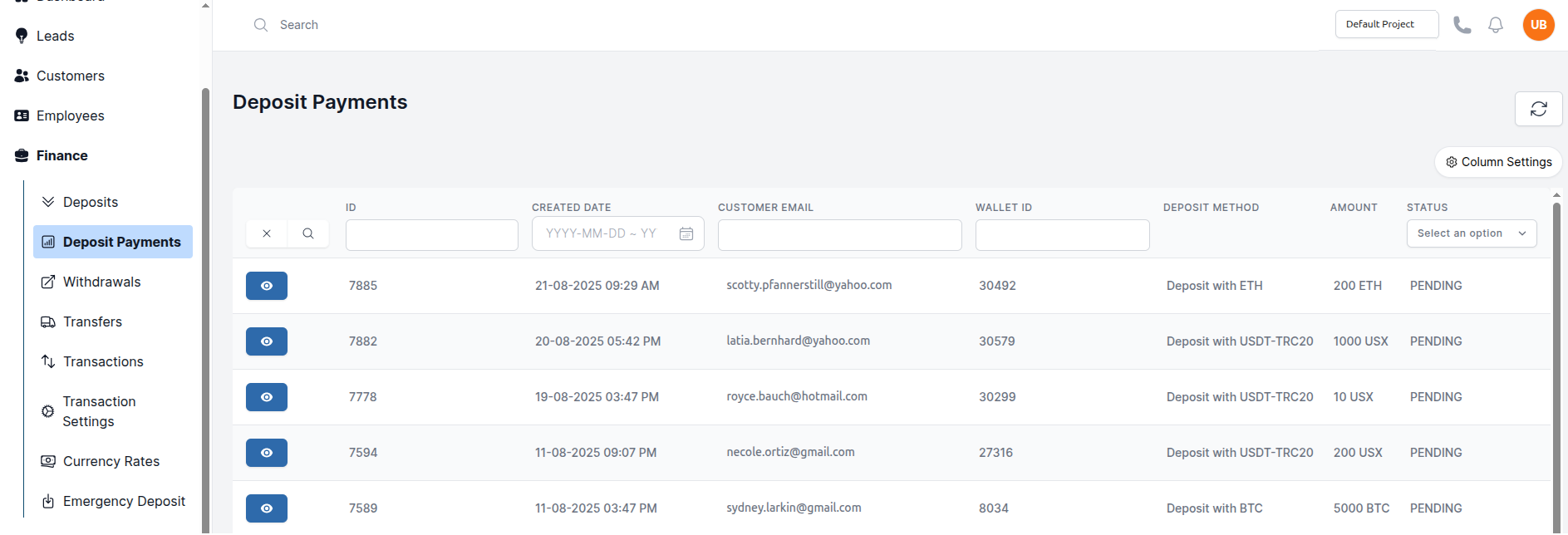
Deposit payments will be created when a customer makes a deposit via a third party payment gateway. After approving the deposit, an approved deposit request will be created on behalf of the customer.
Approve a Customer Deposit Request
- Navigate to Finance > Deposit Payments.
- You will see a list of deposits requiring verification.
- Click on a deposit to review the details:
- Check and enter the amount.
- Confirm the payment method matches.
- If everything is correct, click Deposit.
- The funds will be credited to the customer's wallet,the status will change to
Approved. - Finally, a approved deposit request will be created.
-
In the form:
- Select the desired Customer.
- Choose the Wallet to credit.
- Select the Deposit Method.
- Enter the Amount.
-
Click Deposit. A deposit request will be processed immediately and appear in the customer requests.