Manage Document Types
Applies to: Compliance Officers, Administrators
Document Types define what kinds of verification documents you accept from customers, such as passports, driver's licenses, or utility bills.
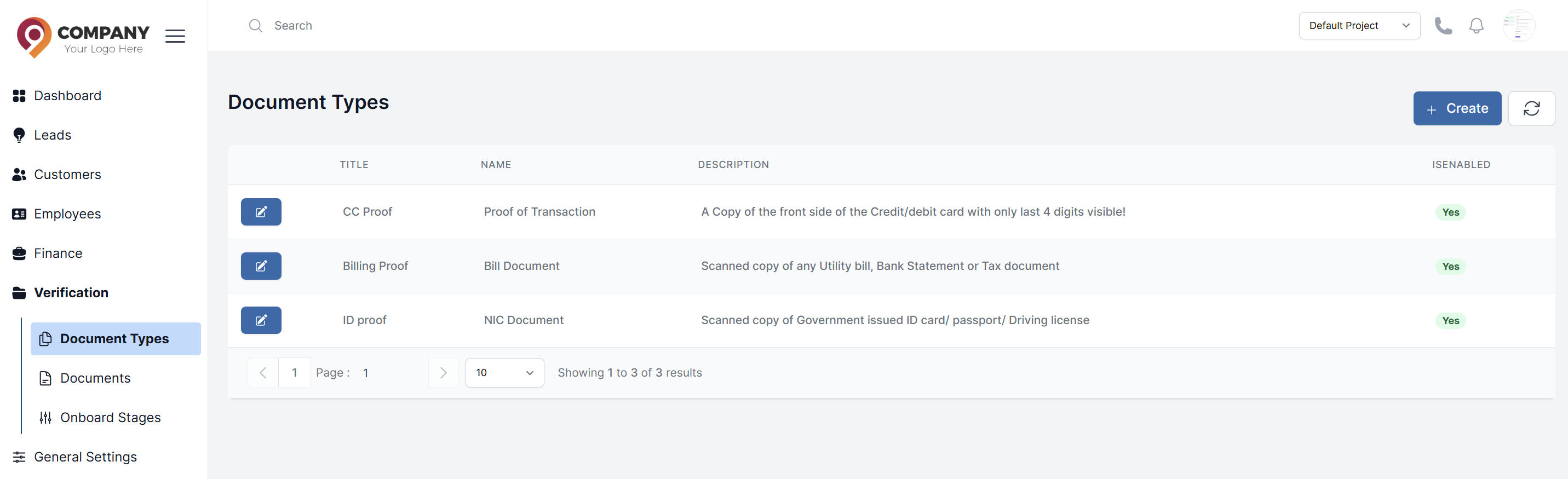
Viewing Document Types
- Navigate to Verification > Document types.
- You will see a list of predefined types (e.g., "Proof of Identity", "Proof of Address").
Creating a New Document Type
- Click the Create button.
- Fill in the form:
- Name: The name of the document type (e.g., "Bank Statement", "Selfie with ID").
- Description: Detailed instructions for the customer on what you expect (e.g., "A recent utility bill, no older than 3 months, clearly showing your name and address.").
- Is Enable: Can enable or disable the document type
- Example: Give sample documents name
- Click Submit.
How Document Types Are Used
When a customer goes through the KYC process, they will be prompted to upload documents based on the types you have created and marked as required. These types are linked to the Onboard Stages you configure.