View Customers
Applies to: Administrators, Customer Support, Sales Managers
The Customers list is your central hub for accessing and managing all client accounts. This page provides a comprehensive overview of your customer base with powerful filtering and search tools.
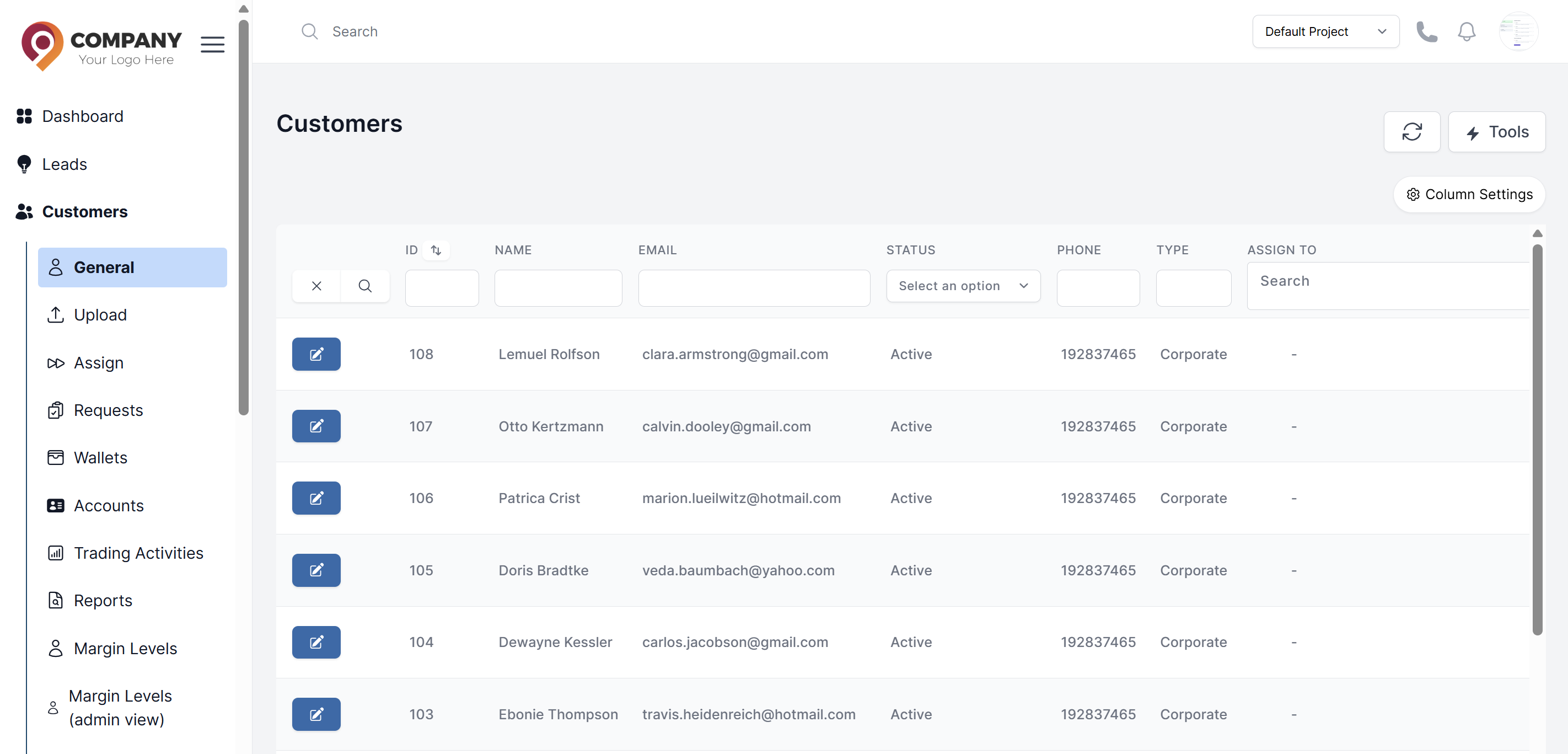
Accessing the Customers List
- Navigate to Customers in the main sidebar
- The default view shows the List of all customers with essential information
Understanding the Customers Table
The table displays key information in columns:
- Customer ID: Unique identifier for each customer
- Name: Full name of the customer
- Email: Contact email address
- Status: Account status (Active, Inactive, Banned)
- Account Manager: Assigned employee
- Registration Date: When the account was created
- Last Login: Most recent login timestamp
Using Search and Filters
Quick Search
- Use the search bar to find customers by:
- Name
- Email address
- Customer ID
- Phone number
Advanced Filtering
Click the filter icon to access advanced options:
- Status Filter: Show Active, Inactive, or Banned accounts
- Registration Date: Filter by account creation date range
- Last Activity: Filter by last login date
- Account Manager: Filter by assigned employee
- Country: Filter by customer location
Customer Quick Actions
For each customer in the list, you can access quick actions:
- View Profile: Open customer details page
- Open Trading Views: Open Trading Views
- Edit Details: Modify customer information
- Accounts: Manage Customer Accounts
- Wallets: Manage Customer Wallets
- KYC: Handle KYC Levels
- Activities: View Customer/Trading Activities
- Reset Passwords: Reset Passwords
Customizing the View
- Column Selection: Show/hide columns using the view options
- Sorting: Click column headers to sort ascending/descending
- Pagination: Navigate through pages of customers
- Rows per Page: Adjust number of customers displayed
Best Practices
- Regular Monitoring: Check the customers list daily for new registrations
- Data Hygiene: Regularly review and update customer information
- Access Control: Ensure only authorized personnel have customer list access