Customer Engagement Analysis Report
Applies to: Marketing Managers, Administrators, Product Managers
This report provides comprehensive insights into customer trading behavior and engagement patterns, helping you identify active traders, analyze position activity, and understand customer lifecycle metrics.
Accessing the Report
- Navigate to Customers > Reports > Customer Engagement Analysis.
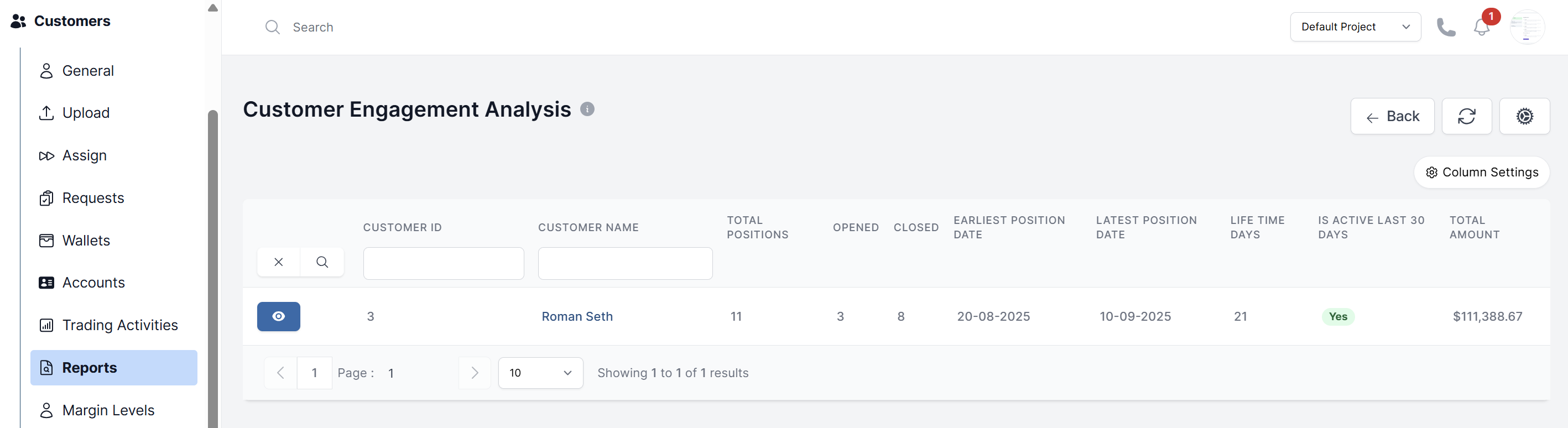
Customer Engagement Data Table:
The main data table provides detailed metrics for each customer:
- Customer ID & Name: Customer identification and contact information
- Total Positions: All positions linked to the customer across their lifetime
- Opened: Number of currently active/opened positions
- Closed: Number of positions that have been closed
- Earliest Position Date: Date of the customer's first recorded trading position
- Latest Position Date: Most recent position activity date
- Life Time Days: Total number of days since customer registration
- Is Active Last 30 Days: Recent customer activity status (Yes/No)
- Total Amount: Total trading volume or position value associated with the customer
Key Metrics and Insights
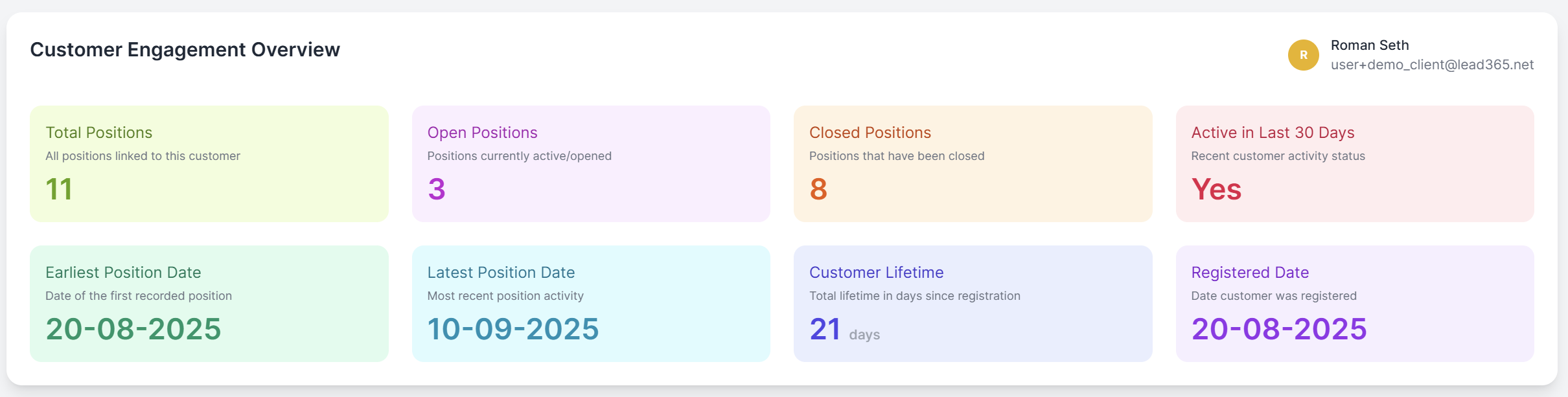
Individual Customer Overview
When drilling down into specific customers, you can view:
- Activity Status: Whether the customer has been active in the last 30 days
- Trading Timeline: From first position to most recent activity
- Position Summary: Breakdown of open vs. closed positions
- Customer Lifetime: Days since registration to current date
Position Timeline Chart
-
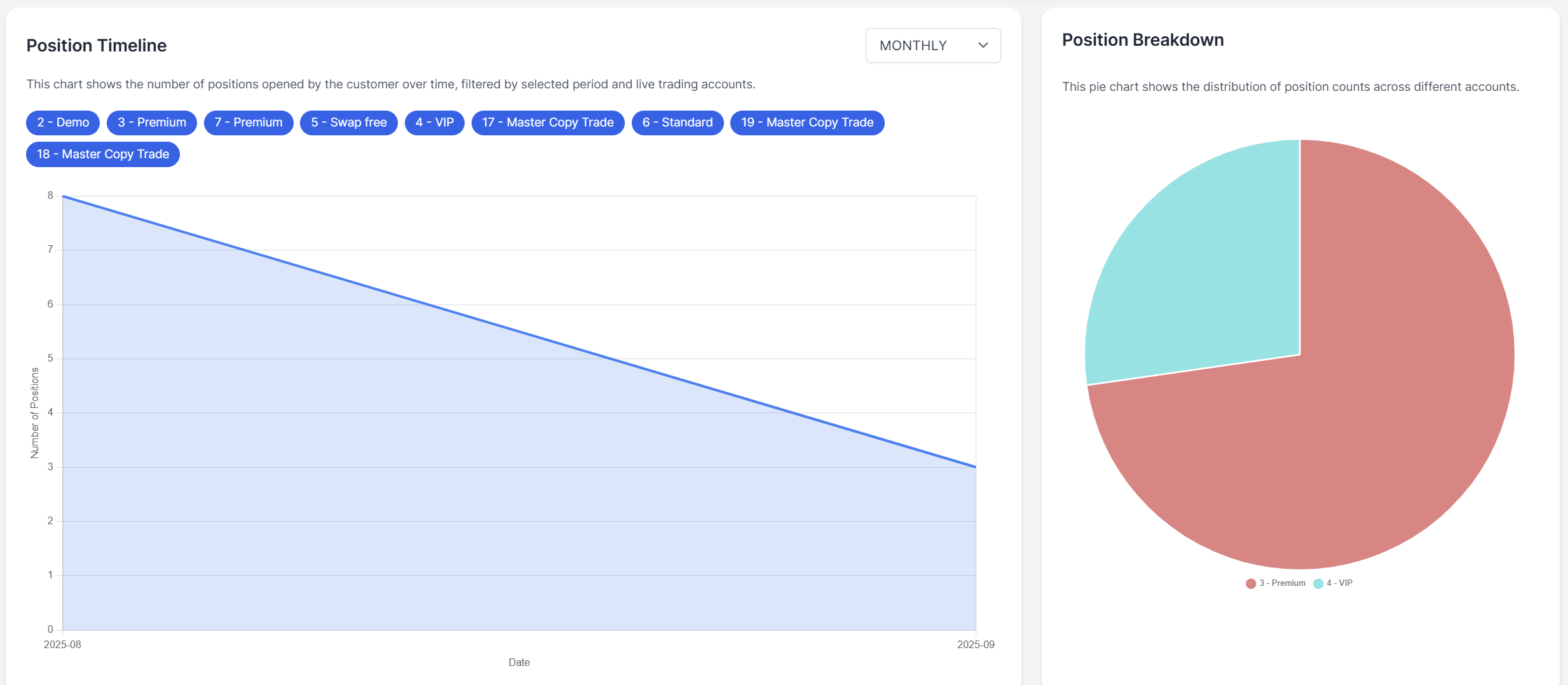
Visual Timeline: Displays the number of positions opened by customers over time
-
Time Period Filter: Switch between different views (Monthly, Weekly, Daily)
-
Account Type Filters: Filter data by account types including:
- Demo accounts
- Premium accounts
- VIP accounts
- Standard accounts
- Master Copy Trade accounts
- Swap Free accounts
Position Breakdown Chart
- Distribution Analysis: Pie chart showing the distribution of position counts across different account types
- Visual Segmentation: Easily identify which account types are most active in trading
Using the Data
Customer Segmentation:
- Identify high-value traders based on total positions and amounts
- Segment customers by activity level (active vs. dormant)
- Analyze account type performance and preferences
Retention Analysis:
- Monitor customer lifetime and trading frequency
- Identify customers at risk of churning (inactive in last 30 days)
- Track customer journey from registration to latest activity
Marketing & Support:
- Target inactive customers with re-engagement campaigns
- Prioritize support for high-volume traders
- Analyze trading patterns across different account types
Performance Metrics:
- Track overall platform engagement through position volumes
- Monitor trends in customer trading behavior over time
- Evaluate the effectiveness of different account type offerings