View Closed Positions
Applies to: Administrators, Compliance Officers, Financial Analysts
The Closed Positions section provides access to historical trade data, allowing you to review past performance, analyze trading patterns, and reopen positions if needed.
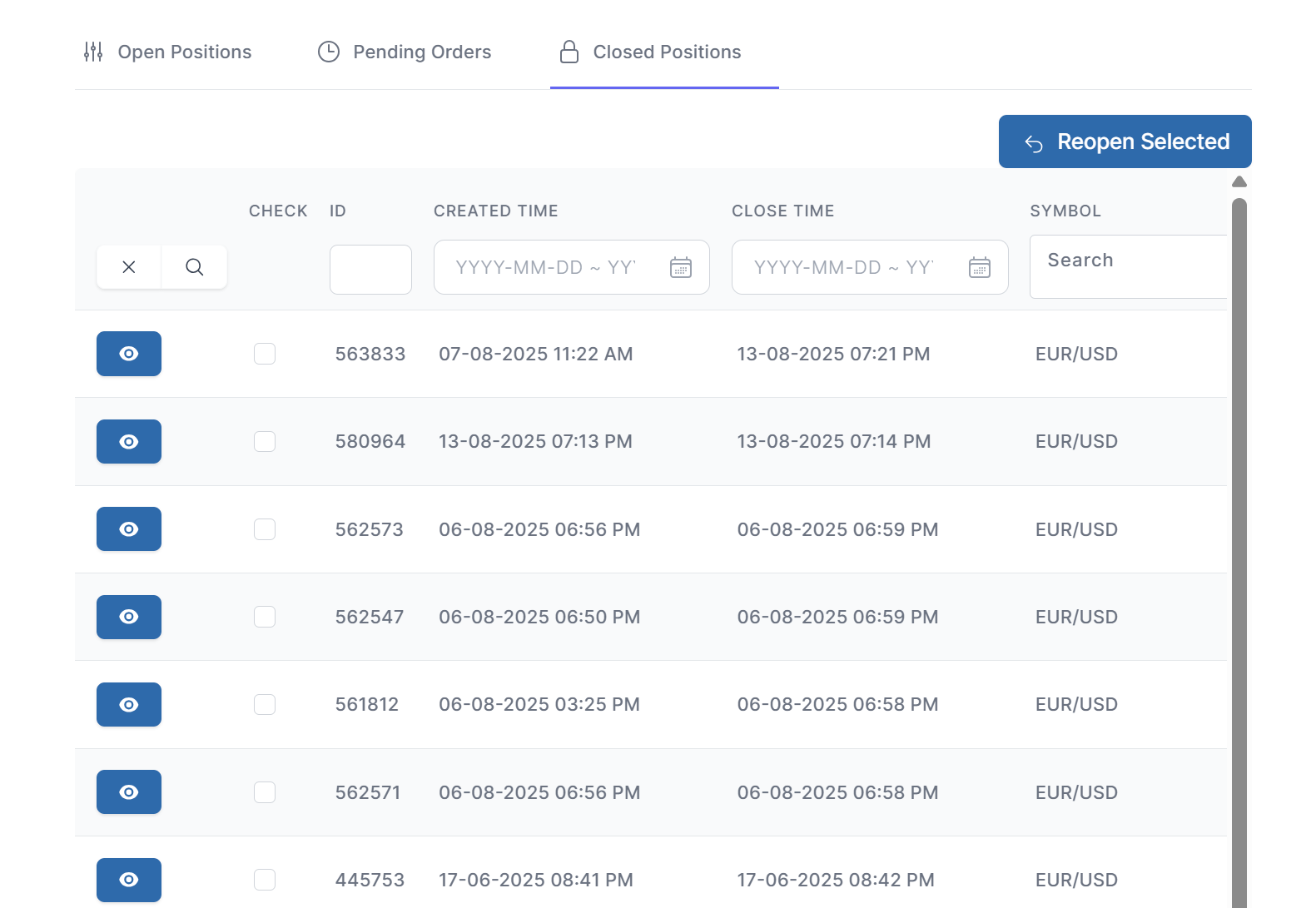
Accessing Closed Positions
- Navigate to Customers → Accounts
- Select the desired account and click the action button
- In the Account Details view, click the Closed Positions tab
Position Details View
Click the More Info button (ℹ️ icon) to see comprehensive details:
Trade Execution Details
- Open Price: Exact entry price with timestamp
- Close Price: Exact exit price with timestamp
- Execution Mode: How the position was executed
Financial Breakdown
- Gross P/L: Profit/Loss before fees
- Swap Details: Daily swap calculations
- Commission: Commission charges
- Net P/L: Final profit/loss after all fees
Market Context
- Open Price Context: Market conditions at opening
- Close Price Context: Market conditions at closing
- Counter Prices: Bid/ask prices at execution times
Reopen Position Feature
How to Reopen a Closed Position
- Find the desired closed position in the list
- Click the Reopen button (circular arrow icon)
- The system will pre-view the trade parameters:
- Margin Level
- Equity
- Used Margin
- Review and ckick Reopen Selected tp confirm
- Position will open at trade opened price