Configure Margin Settings
Applies to: Risk Managers, Administrators
Margin Settings allow you to configure risk management parameters for individual trading accounts, including margin call warnings and automatic position closure levels.
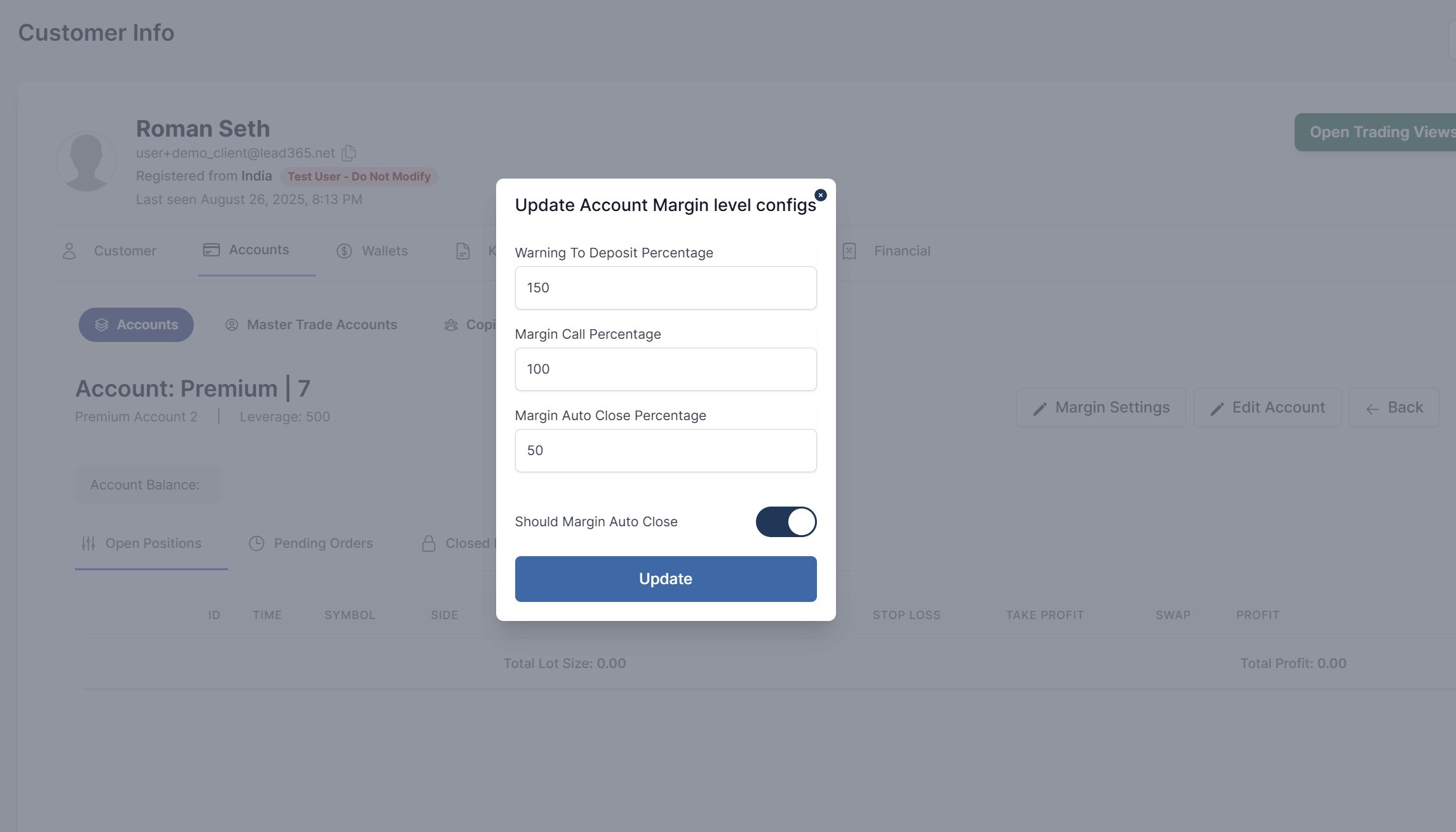
Accessing Margin Settings
- Navigate to Customers → Accounts
- Select the desired account and click the action button
- In the Account Details view, click the Margin Settings tab
Understanding Margin Parameters
Warning To Deposit Percentage
- Purpose: Early warning level before margin call
- Typical Value: 150% - 200%
- Action: System generates warning notifications, warning email
- Effect: Customer advised to deposit funds or reduce exposure
Margin Call Percentage
- Purpose: Critical margin level requiring immediate action
- Typical Value: 100% - 120%
- Action: System issues margin call alert, warning email
- Effect: Customer must deposit funds or positions may be closed
Margin Auto Close Percentage
- Purpose: Automatic position closure level
- Typical Value: 30% - 80%
- Action: System automatically closes positions, information email
- Effect: Positions are closed starting from most losing
Configuring Margin Levels
Setting Percentage Values
-
In the Margin Settings tab, locate the three percentage fields
-
Enter desired values for each level:
- Warning Level: (%) - Early warning threshold
- Margin Call Level: (%) - Critical alert threshold
- Auto Close Level: (%) - Automatic closure threshold
-
Ensure logical progression: Warning > Margin Call > Auto Close
Account-specific Considerations
- Account Type: Different types may have different requirements
- Customer Experience: Adjust levels based on trader expertise
- Market Conditions: Consider volatility when setting levels
- Regulatory Requirements: Ensure compliance with local regulations