Configure Withdrawal Methods
Applies to: Administrators, Finance Managers
Withdrawal Methods are the specific payment channels available for customers to receive their funds (e.g., "International Wire Transfer", "USDT TRC-20", "Skrill"). These are grouped under broader Withdrawal Types.
View and Edit Methods
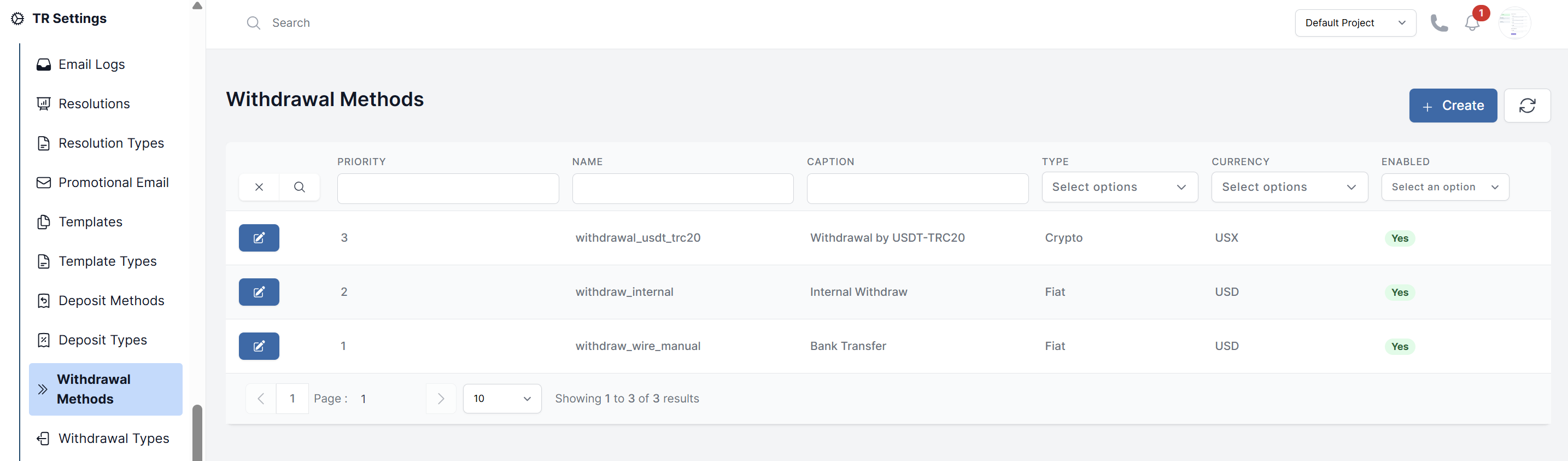
- Navigate to TR Settings > Withdrawal Methods.
- You will see a list of all existing methods.
- To edit one, click on it. You can update its name, description, and other settings.
Create a New Withdrawal Method
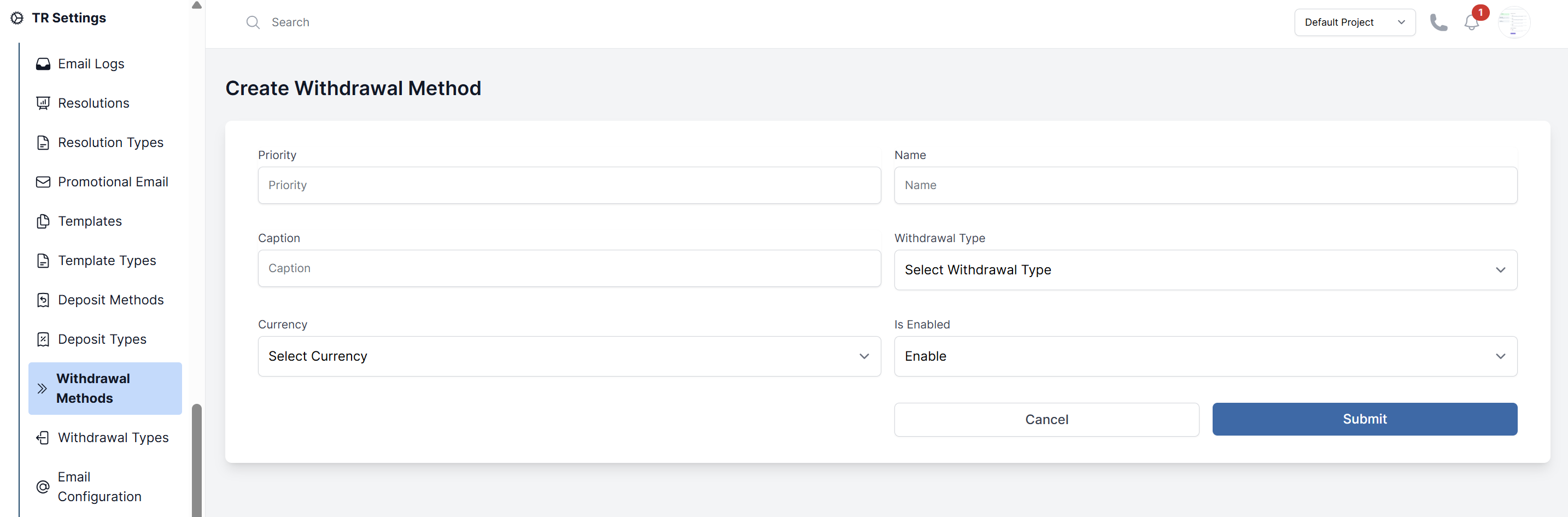
- On the Withdrawal Methods page, click Create Withdrawal Method.
- Fill in the details:
- Priority: A numerical value that determines the display order of withdrawal methods to customers
- Name: The name visible to customers (e.g., "Bank Wire", "Bitcoin (BTC)", "Neteller").
- Withdrawal Type: Assign this method to a parent type (e.g., assign "Bitcoin (BTC)" to the "Cryptocurrency" type).
- Caption: Instructions for the customer (e.g., "Withdrawals processed within 24h").
- Currency: Specify which currencies this method supports (e.g., USD, EUR, BTC).
- Is Enable: Controls whether this payment method is active and visible to customers.
- Click Submit.