Configure Symbols & Spreads
Applies to: Administrators, Product Managers
This guide covers the management of trading symbols (e.g., EURUSD, BTCUSDT) for specific account types and projects, including bulk operations.
Configure Symbols for an Account Type
- Navigate to Product Settings > Account Types.
- Click Edit on the account type you want to configure.
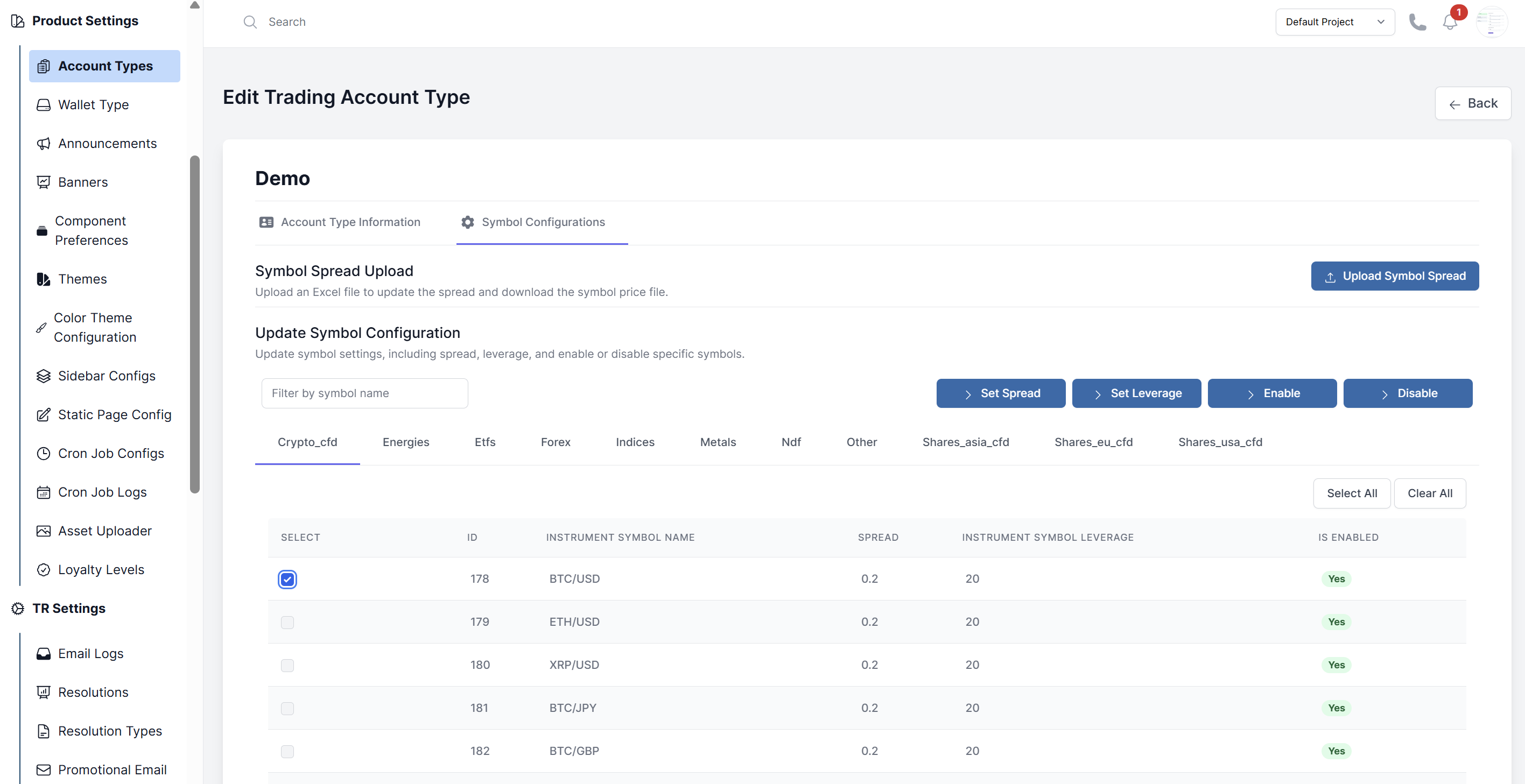
- Go to the Symbol Configurations tab.
- You will see a list of all available symbols. For each symbol, you can:
- Enable/Disable: Toggle whether this symbol can be traded on this account type.
- Spread: Set a custom spread (in pips or points).
- Leverage: Override the account's default leverage for this specific symbol.
- Make your changes and click Submit.
Bulk Operations
Bulk Enable/Disable or Update
- In the Symbol Configurations tab, use the checkboxes to select multiple symbols.
- Click the Bulk Action button (e.g., "Set Spread", "Disable").
- Enter the value or choose the action to apply to all selected symbols.
- Click Submit.
Upload Spreads via Excel
- Click the Upload Symbol Spread button.
- Download the provided sample sheet to understand the required format.
- Fill in the spreadsheet with the symbol names and new spread values.
- Upload the file. The system will update the spreads for the symbols listed in the file.