Copy a Lead Trader
This guide shows you how to start copying a Lead Trader with your live trading account.
Steps to Copy
- In the Client Portal, go to Copy Trading > Dashboard > Explore Lead Traders.
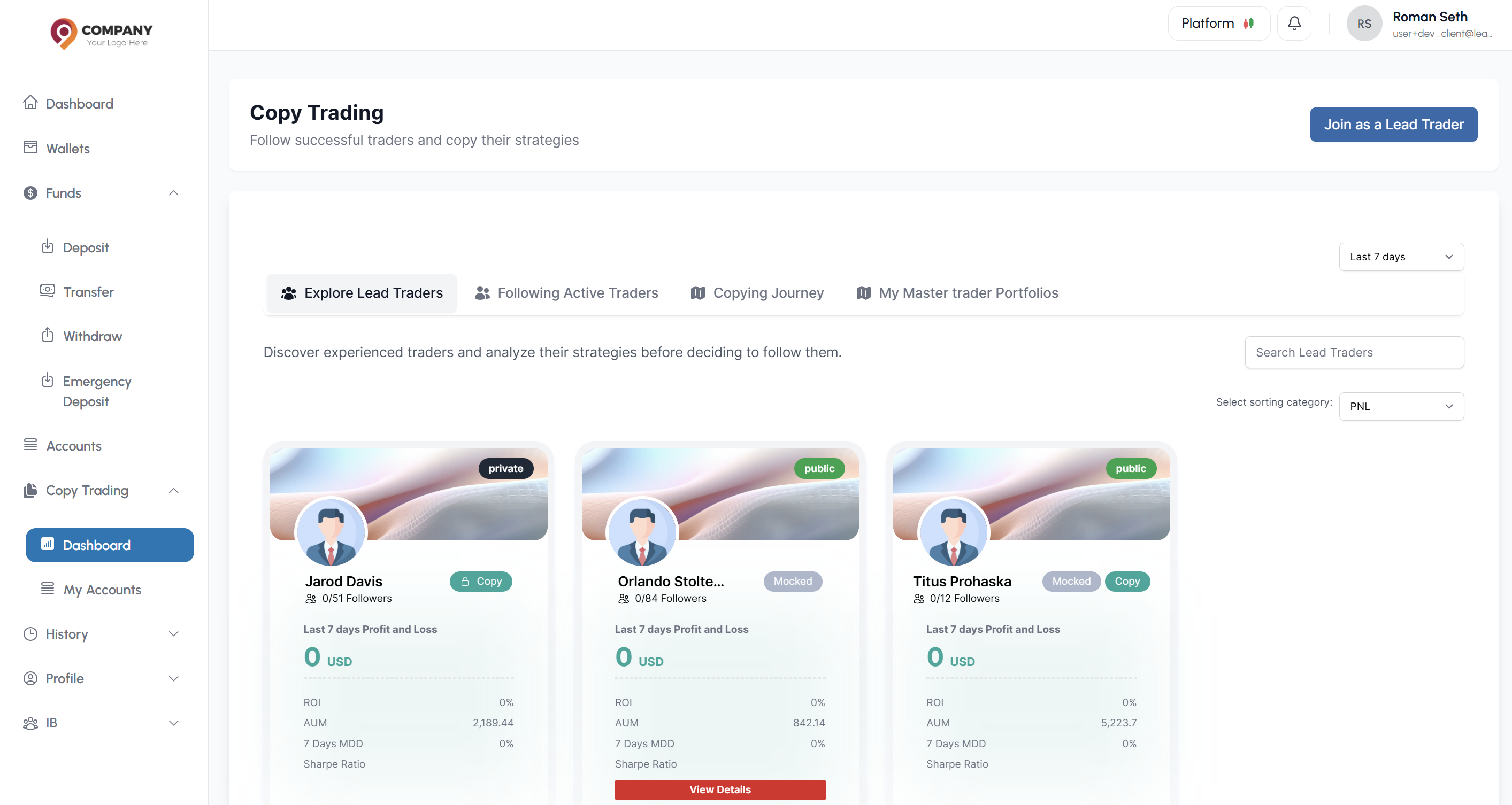
- Find a Lead Trader you wish to copy.
- Click the Copy button on their profile.
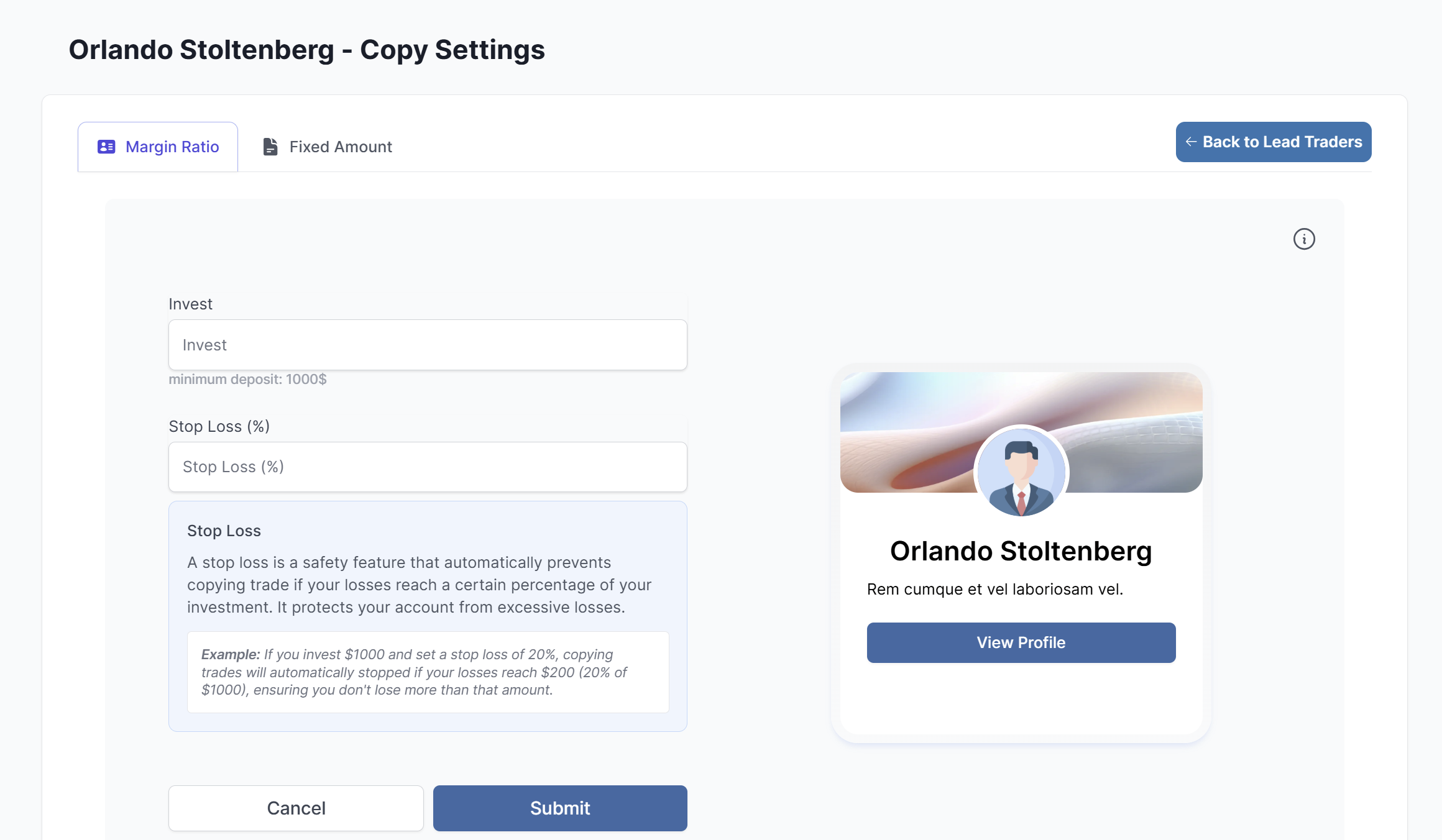
- Select your desired copying method:
- Margin Ratio: Copy trades proportionally to your account size
- Fixed Amount: Copy trades with a fixed investment amount
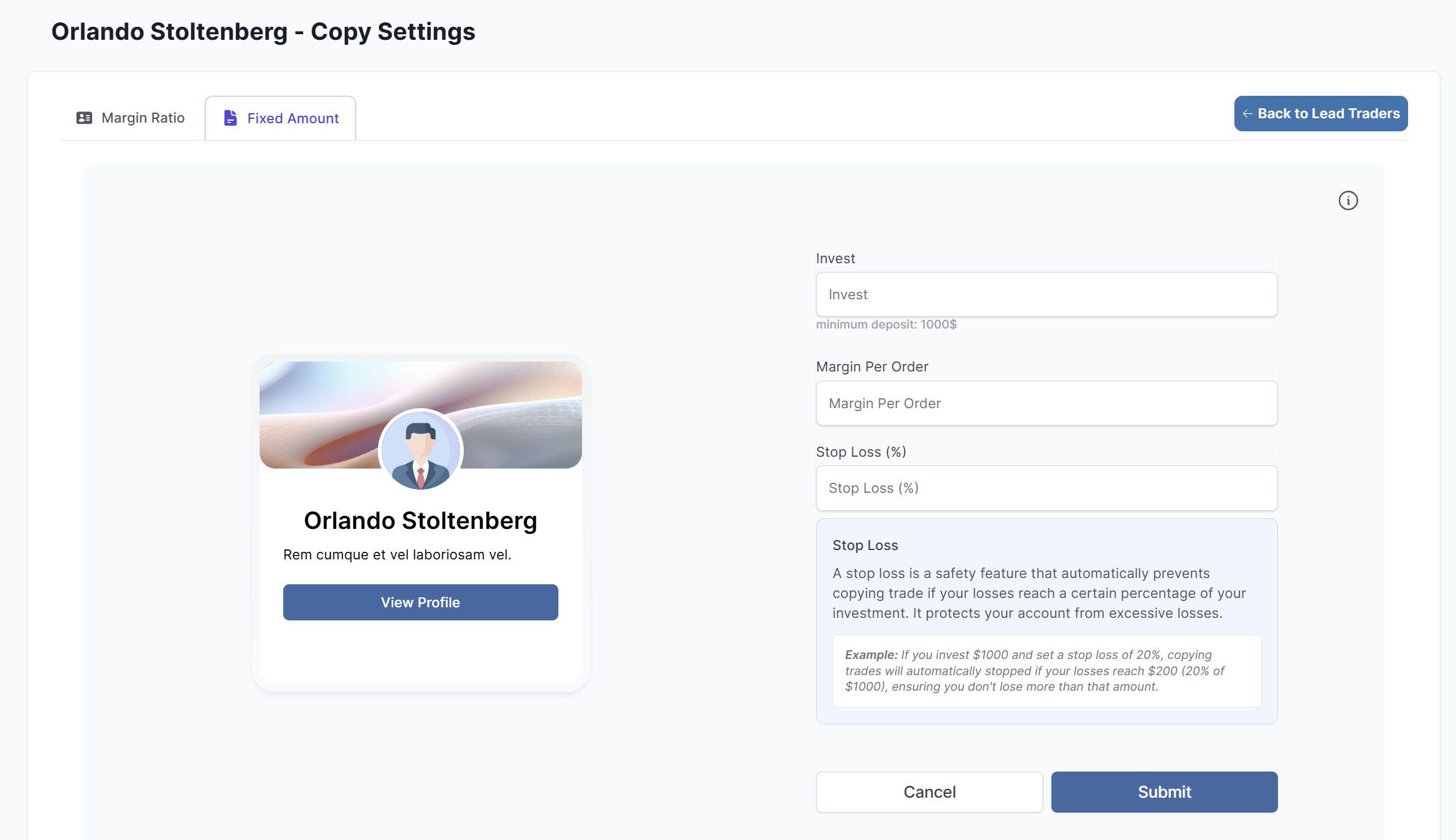
- Fill out the form according to your selected method.
- After making the required investment allocation, review the terms and click Submit.
Your account will now automatically execute trades based on the Lead Trader's actions.
What's the difference between Margin Ratio and Fixed Amount?
- Margin Ratio: Automatically adjusts trade sizes based on your account balance relative to the Lead Trader's balance
- Fixed Amount: Uses the same trade sizes regardless of account balance differences