View Followed Lead Traders
How can I review the detailed profile and current performance of any Lead Trader you are copying.
Steps to View
- Log into the Client Portal.
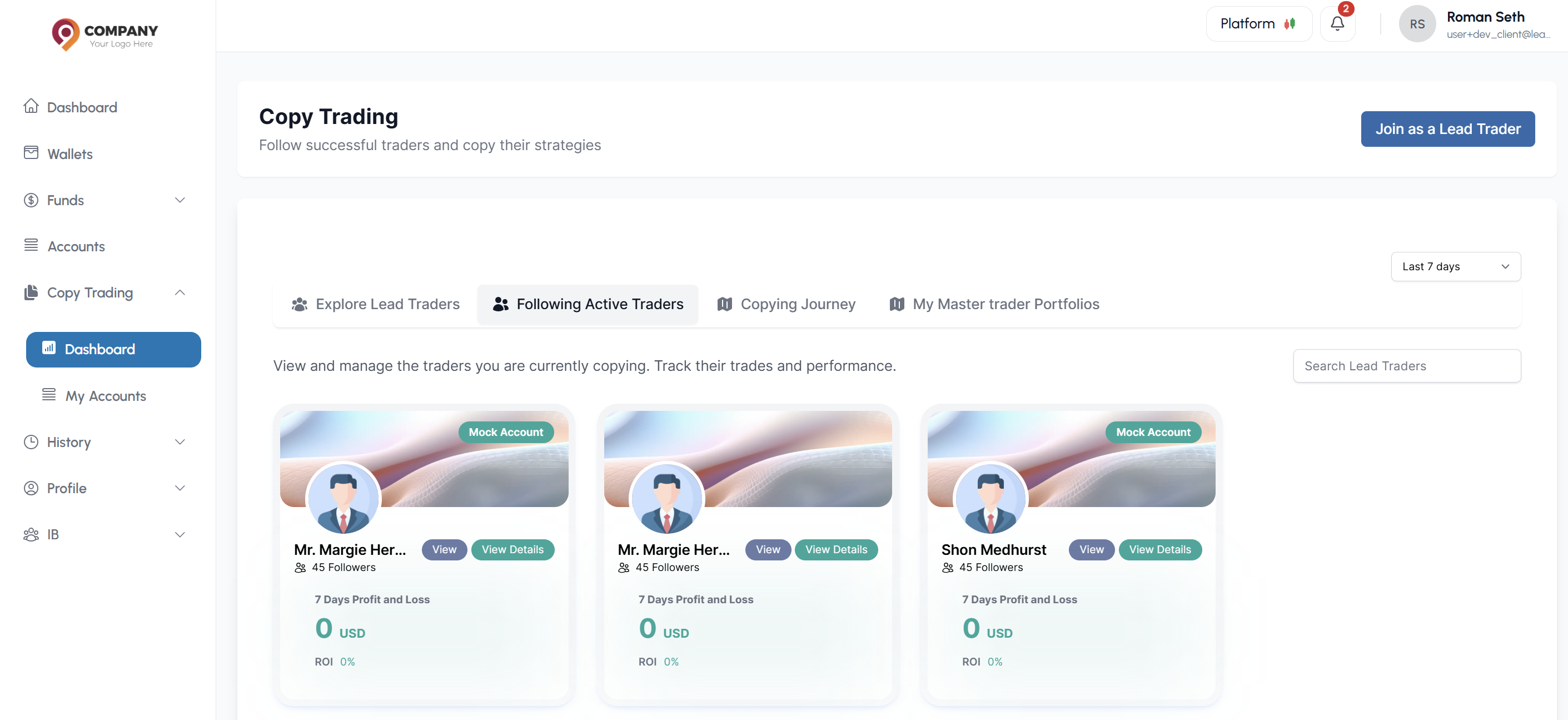
- Navigate to Copy Trading > Following Active Traders.
- You will see a list of all Lead Traders you are currently copying.
- Click the View button next to a trader's name to see their detailed profile.
- This shows their detailed profile including:
- Current performance metrics
- Financial Overview
- Positions History
What can I learn from the Copies Account Overview?
- How your copied investment is performing
- Whether to continue, modify, or stop copying
- The effectiveness of your copying strategy
- Risk exposure and management