Add New Customer
Applies to: Administrators, Sales Managers
There are two primary ways to add new customers to the Traders Room platform: individually or in bulk via Excel upload.
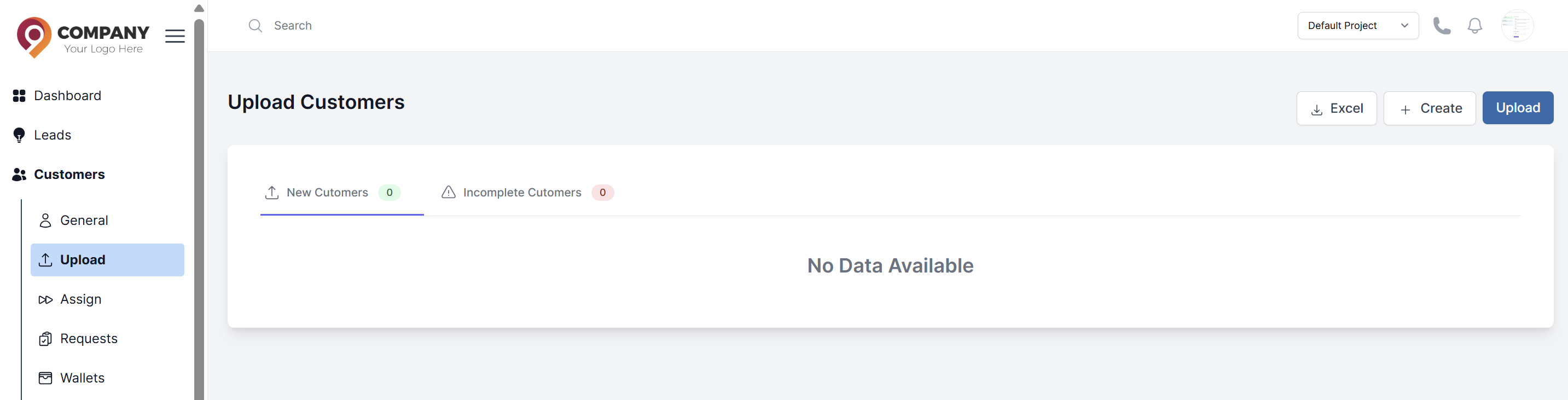
Add a Single Customer
- Navigate to Customers > Upload > Create.
- Fill in the required details in the form:
- Personal Information: First Name, Last Name, Email, Phone Number, Country of Residence.
- Account Details: Default Account Type, Leverage, Currency.
- Login Credentials: Password.
- Click Submit. The customer will be created and will appear in the main customers list.
Upload Customers in Bulk
- Navigate to Customers > Upload.
- Click Download the sample Excel sheet. Use this exact template to ensure your data is formatted correctly.
- Fill in the template with your customer data.
- Back on the upload page, click Upload customers as an Excel sheet and select your filled-out file.
- The system will validate the data. If successful, you will see a confirmation message and the new customers will be added.