Update Account Leverage
Applies to: Administrators, Account Managers
You can adjust the leverage for a customer's trading account at any time. This change can affect their open positions and margin requirements.
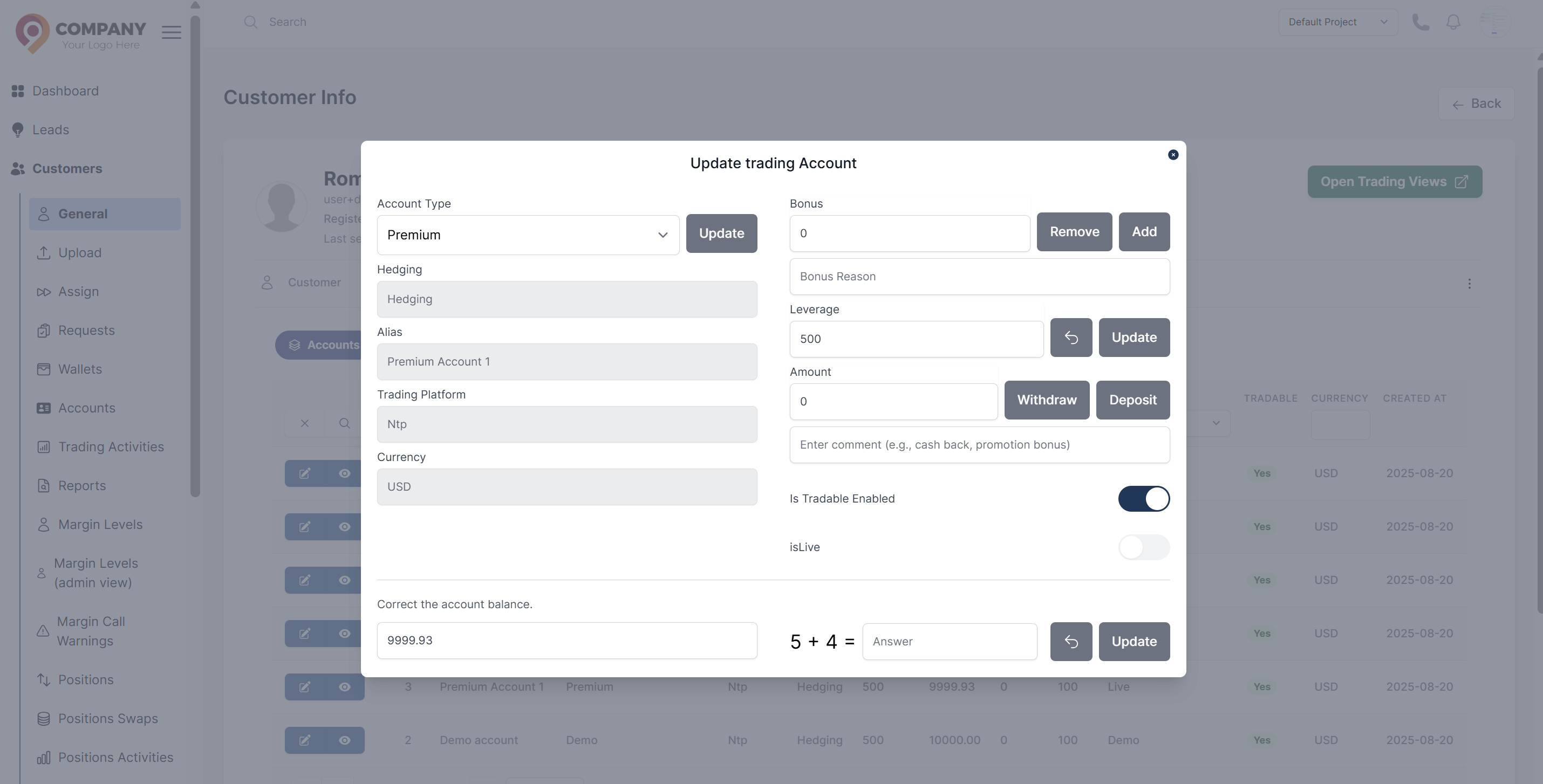
Steps to Change Leverage
- Navigate to Customers > Accounts.
- Use the search or filters to find the specific customer account you need to modify.
- Click on the account row to view its details or find the Actions menu.
- Select Edit Account tab.
- In the pop-up window, select the leverage input field to update.
- Click Update to apply the new leverage setting.
What Happens Next?
- The new leverage value is applied immediately.
- The customer's margin requirements will be recalculated based on the new leverage.
- If the leverage is decreased, some open positions might be at a higher risk of a margin call. The system will notify the customer.
- The change is logged in the Account's Activity Timeline.