Manage Customer Wallets
Applies to: Administrators, Finance Managers
Wallets are the core containers for customer funds. This guide covers how to manage them from the admin panel.
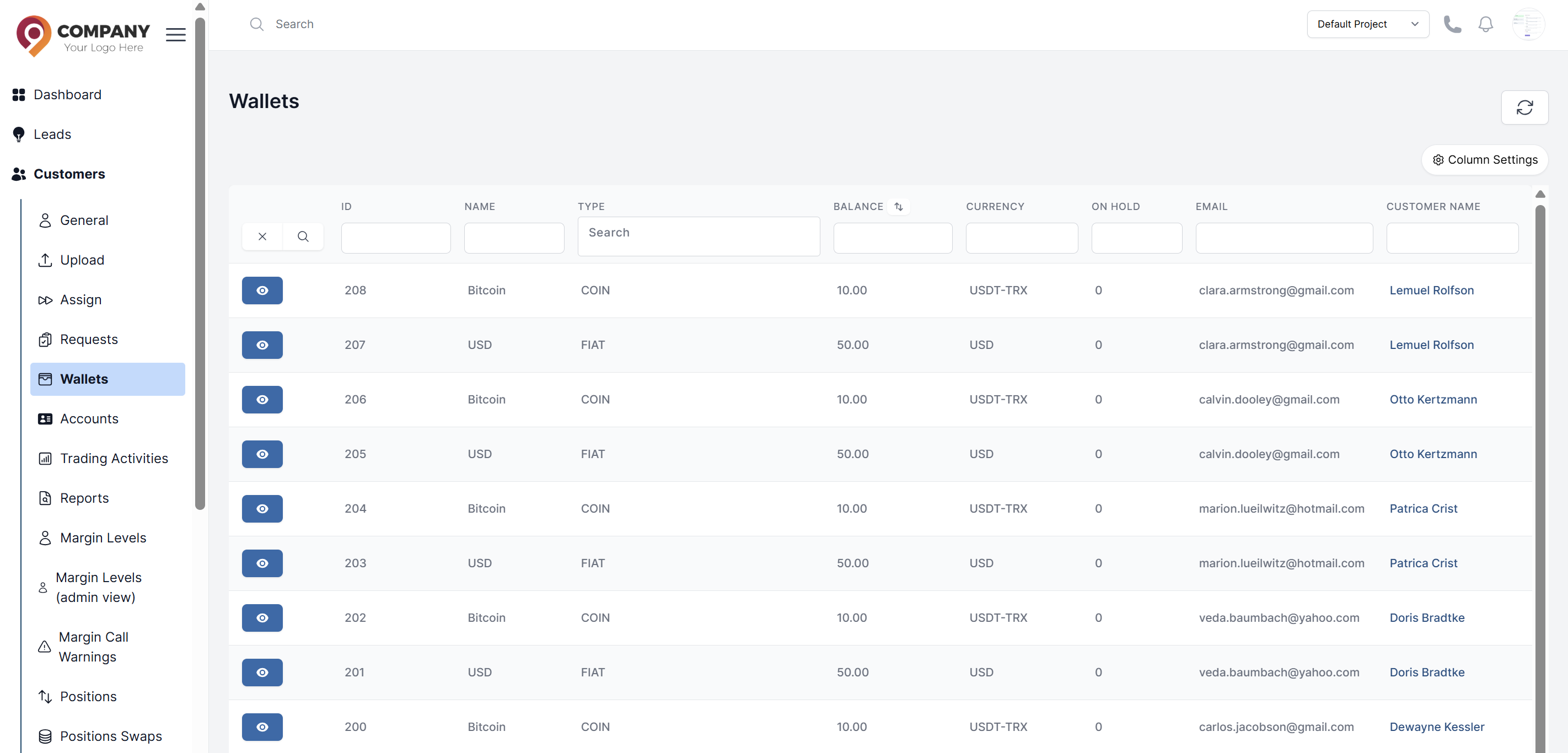
Viewing All Wallets
- Navigate to Customers > Wallets.
- You are presented with a comprehensive table showing all customer wallets.
- Customize the View: Use the feature to hide or show columns (e.g., Balance, Currency, Type, Customer ID) to tailor the table to your needs.
Creating a New Wallet
You can create a wallet for a customer who may need an additional currency wallet.
- On the Wallets page, click the Action button for the required detailed row.
- You will be navigated to the customer's wallet page:
- Click Create to create a new wallet for the customer
- In the Wallet Type filed: Select the type of wallet. Types are configured in Wallet Types.
- Click Submit. The new wallet will be created and available for the customer.
Managing Wallets
From the Wallets list, you can typically:
- Add an onhold amount for a specific wallet.
- Add, Deduct or update balance of a wallet..
- View the wallet's balance and on hold amount.